As someone who’s been crafting words for print and digital platforms since the early 2000s, I’ve watched the writing toolkit transform dramatically. Remember the days when “research” meant dusty library shelves and “editing” involved red pen scribbles? Today, the landscape is dotted with sophisticated digital helpers often called AI writing tools that promise to streamline everything from brainstorming to polishing.
Over the past five years, I’ve tested, relied on, and occasionally wrestled with these platforms in my own freelance work and collaborations with marketing teams. Let’s cut through the hype and explore what these tools really mean for writers, businesses, and readers today.
What Exactly Are We Talking About?
When people mention “AI writing tools,” they’re usually referring to software that uses machine learning to assist with text creation. Think of it as a highly advanced autocorrect on steroids. Popular examples include platforms like Jasper (formerly Jarvis), Copy.ai, Grammarly’s premium suite, and even integrated features in Microsoft Word or Google Docs. At their core, these tools analyze vast datasets of existing text to predict words, phrases, or even entire structures that might follow a given prompt.
From a practical standpoint, they fall into two broad categories:
- Assistive Tools: These help you write better, catching grammar errors (Grammarly), suggesting tone adjustments, or offering synonyms to avoid repetition.
- Generative Tools: These attempt to create text from scratch, drafting blog intros, writing product descriptions, or generating social media captions based on minimal input.
I’ve used both types extensively. For instance, when drafting a technical whitepaper for a cybersecurity client last year, Grammarly’s real-time feedback saved hours of manual proofreading. On the flip side, I once relied on a generative tool to draft a first version of a real estate listing. It produced a bland, generic paragraph that read like every other listing online, efficient, but devoid of personality.
The Real Benefits: Where These Tools Shine
The value isn’t in replacing human writers, it’s in augmenting our capabilities. Here’s where I’ve seen them deliver genuine ROI:
1. Overcoming “Blank Page” Paralysis
Every writer knows the dread of staring at an empty document. Last winter, I worked with a nonprofit struggling to launch a donation campaign. Their communications director was stuck on the opening email. Using a generative tool, we input key points: “Urgent need for winter coats, 10,000 children at risk, community impact.”
Within seconds, it offered three opening paragraphs. One wasn’t great, but the third gave a solid structure we refined into a compelling message. The tool didn’t write the final copy; it simply jump-started the process.
2. Scaling Repetitive Tasks
E-commerce brands often need hundreds of product descriptions. A local boutique I consult for used to hire freelancers for this, costing $5–$7 per item. Now, they use a generative tool to create first drafts. A human editor then adds unique selling points, local flavor, and corrects factual errors. Result? They cut production time by 60% and redirected budget toward higher-value content like customer stories.
3. Language Optimization
Tools like Grammarly or Hemingway Editor don’t just fix commas; they teach. I’ve seen junior writers improve clarity by consistently using feedback on sentence length and readability. One marketing associate I mentor reduced her average sentence complexity score by 40% in three months, making her emails far more actionable for clients.
The Pitfalls: When Efficiency Backfires
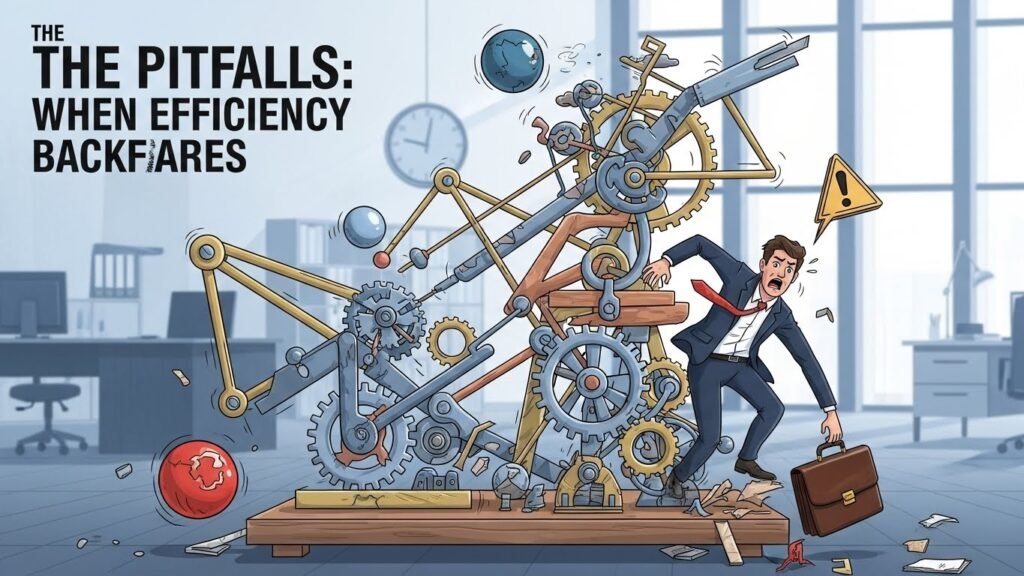
Yet, these tools aren’t magic bullets. My experience has shown clear limitations that can trip up the unwary.
1. The “Cookie Cutter” Trap
Generative tools learn from existing content, meaning they often replicate clichés. Two years ago, I reviewed 50 blog intros written by a popular AI platform for a client in the fitness niche. Over 70% used phrases like “unlock your potential” or “transform your body in just 30 days.” The result? Their SEO rankings actually dropped because the content lacked originality, and Google’s algorithms penalized it for low uniqueness.
2. Factual Inaccuracy and Bias
These tools don’t “know” facts; they predict patterns. In 2023, a financial advisory firm used a generative tool to draft a market outlook report. It confidently stated that “inflation will fall below 2% by Q3 2023,” citing non-existent data trends. The error slipped past two junior editors because the sentence sounded authoritative. We caught it in final review, but it was a wake-up call: human fact-checking isn’t optional.
3. Diluted Brand Voice
A coffee roastery I work with initially relied on a tool for Instagram captions. The captions were technically correct but fluctuated wildly in tone—sometimes formal, sometimes overly slangy. Customers complained the brand felt “inauthentic.” We now use the tool only for idea generation, with strict style guidelines to maintain their warm, consistent voice.
Ethical Considerations: Transparency and Trust
The rise of these tools has sparked heated debates about ethics. As someone who values trust in communication, I’ve adopted clear principles:
- Disclose When Necessary: If a piece is primarily machine-generated (e.g., automated reports), readers deserve to know. The New York Times now labels AI-assisted articles a practice I support.
- Originality Matters: Use tools for drafting, not copying. Plagiarism checkers are essential. I run all client work through Copyscape before delivery.
- Human Oversight is Non-Negotiable: A tool might suggest “five ways to boost sales,” but only a human understands why those five apply to your specific audience.
Balancing Act: A Practical Framework for Writers
So, how do you use these tools wisely? Here’s a rule of thumb I’ve honed over years of trial and error:
| Decide what feels right, not just “correct.” | Tool Use | Human Role |
| Brainstorming ideas | Generate 5–10 concepts quickly | Curate, refine, add industry-specific insights |
| First draft | Draft structure or filler sections | Inject voice, verify facts, add nuance |
| Editing & polishing | Grammar checks, readability scores | Decide what feels right, not just “correct” |
| Final review | None | Full human proofread for sense and strategy |
For example, when writing a case study for a healthcare client, I used a generative tool to outline the “challenge-solution-results” framework. But the real value came from interviewing the client’s staff, adding patient testimonials, and highlighting regulatory hurdles—details no algorithm could fabricate.
The Future Isn’t About Replacement, It’s About Partnership

Some fear these tools will make writers obsolete. My take? They’ll simply change what “writing” means. Technical skills like typing speed matter less; strategic thinking, creativity, and emotional intelligence matter more. The best writers of the next decade will be those who master collaboration with technology, using it as a scaffold, not a crutch.
In my own workflow, I’ve found a hybrid approach works best: tools for heavy lifting on routine tasks, and my own judgment for the heart of the message. It’s not about finding the “perfect” AI output; it’s about using these helpers to free up mental space for what truly matters: connecting with real people through authentic, thoughtful words.
FAQs
Q: Can I rely entirely on AI writing tools for my blog?
A: Not advisable. Use them for ideas or first drafts, but always add personal insights, fact-check, and edit for voice. Purely AI-generated content often lacks depth and can hurt SEO.
Q: Do these tools pose plagiarism risks?
A: Yes. Generative tools may inadvertently copy phrases from their training data. Always run output through plagiarism checkers and rewrite suspicious sections.
Q: How do AI tools handle different languages?
A: Performance varies. Tools work well for major languages (English, Spanish, French) but struggle with nuance in less-common ones. Human review is critical for localization.
Q: Are there affordable options for small businesses?
A: Absolutely. Free tiers of Grammarly or Canva’s AI writer offer solid assistive features. Paid plans (often $10–$30/month) add generative capabilities suited for scaling content.
Q: What’s the biggest mistake people make with these tools?
A: Treating them as copy machines. The biggest pitfall is publishing unedited, generic text. Always infuse your unique perspective.

Related Posts