In 2026, “AI productivity” isn’t just about writing faster emails. The best tools now act more like connective tissue across your work: they pull context from meetings, docs, chats, and project trackers, then turn that messy stream into drafts, decisions, tasks, and automation without you babysitting every step.
The catch: a lot of AI features look identical in demos. In real business life, the winners are the ones that (1) sit inside the tools your team already lives in, (2) respect permissions and governance, and (3) reduce coordination costs status chasing, meeting overload, duplicate work more than they reduce typing.
Below is a practical, research-grounded shortlist of the best AI business productivity tools for 2026, grouped by what they do best, plus how to choose without buying a shiny new headache.
1) Microsoft 365 Copilot (and Copilot Studio): Best for “work inside Microsoft”
If your company runs on Outlook, Teams, Word, Excel, and PowerPoint, Microsoft 365 Copilot is the most natural way to add AI without creating yet another app people forget to open. Microsoft positions Copilot as “AI built for work,” integrated across the 365 suite and designed to honor your organization’s security and compliance boundaries. 1
Where it shines in practice
- Teams + Outlook gravity: meeting notes, email summaries, follow-ups work that normally gets scattered across five places.
- Excel/PowerPoint acceleration: fast first drafts of analysis and decks (still needs human review, but it kills blank-page time).
- Agents (the real upgrade): Copilot is increasingly pitched as more than chat; Copilot Studio enables custom agents for repeatable workflows, especially for SMBs who don’t want to staff an internal AI team. 1
2026 reality check: Microsoft is clearly consolidating experiences around Copilot inside Teams, replacing other embedded tools with Copilot-driven workflows another sign they’re betting on it as the default productivity layer. 2
Best fit: Microsoft-heavy orgs that want fewer point solutions and more “AI where we already work.”
2) Google Workspace with Gemini: Best for Docs/Sheets/Meet-first teams (and automation)
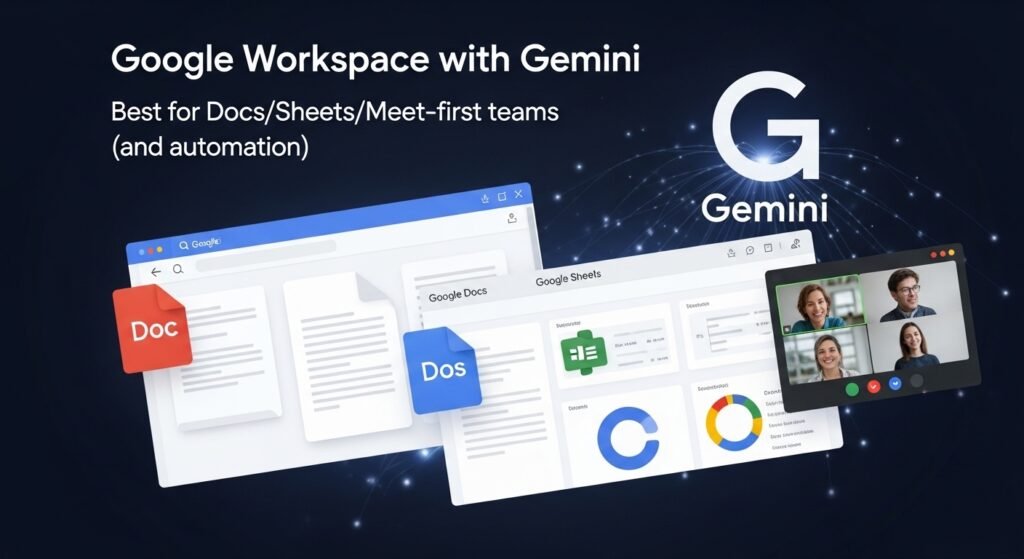
For organizations living in Gmail, Docs, Sheets, and Meet, Gemini in Google Workspace is the cleanest route to day-to-day AI assistance. Google highlights deep integration across Workspace apps and emphasizes enterprise controls, permissions-respecting retrieval, and privacy commitments. 3
What’s notable in 2026
- Team-scalable expertise with “Gems”: custom Gemini setups that can be shared like a doc—useful when you want consistent brand voice, proposal structure, or internal SOP logic across a department. 4
- Workflow automation is getting “agentic”: Google has been pushing Workspace Flows as an AI-powered way to orchestrate routine multi-step work across apps, not just generate text. 5
- Enterprise posture: Google explicitly frames Gemini with admin controls and certifications (SOC/ISO), which matters when AI touches internal files. 3
Best fit: Teams that collaborate in Docs/Sheets and want AI embedded in the same surfaces—plus growing interest in AI-driven workflow automation.
3) Atlassian Rovo (Jira + Confluence): Best for product/engineering knowledge + execution
If your business runs on Jira tickets and Confluence documentation, Atlassian Rovo is one of the most credible “AI at work” offerings because it’s grounded in your actual work graph projects, issues, specs, decisions rather than generic prompts. Atlassian describes Rovo as connecting knowledge across Confluence, Jira, and other tools, enabling smarter search and creation. 6
Why it’s a productivity multiplier
- AI-powered search and context: fewer “where is the doc?” pings, faster onboarding, faster recall.
- Natural-language Jira actions: Rovo can translate plain English into JQL for finding work items and help generate/transform ticket content. 7
- Automation creation by description: you describe what you want automated; it helps build the rule huge for ops-heavy project teams. 7
- It’s actively rolling out: Atlassian’s own cloud change logs show Rovo becoming more accessible across Jira views and deeper in editors. 8
4) Zoom AI Companion: Best for meetings → tasks (when meetings won’t go away)
Most companies don’t need “more AI meetings.” They need fewer meetings and better outcomes from the ones that remain. Zoom AI Companion is aimed squarely at meeting productivity: summaries, action items, and workflow follow-through inside Zoom Workplace. Zoom also moved toward more “agentic” capabilities like a Tasks area and action-taking features. 11
Where it pays off
- Meeting summaries that are actually usable.
- Turning action items into tasks without someone playing unpaid meeting secretary.
- Better pre-meeting prep and thread catch-up when you’re juggling contexts. 12
Best fit: Sales, customer success, recruiting, operations—any function where meetings are the work.
5) Notion (with AI + agents): Best for “one workspace” teams who live in docs
Notion has matured from “cool notes app” into a serious team workspace, and it’s been investing heavily in AI moving beyond writing help into customizable agents that can create documents and pull data from multiple sources. 13
Why it’s useful
- Docs + knowledge base + light project tracking in one place
- AI can help generate first drafts, synthesize internal knowledge, and support internal Q&A workflows (depending on how you structure your workspace). 13
6) Zapier (Agents + automations): Best for cross-app workflows without engineering
If you’ve ever thought, “Why am I copying this from an email into a spreadsheet into a ticket into a Slack message?” Zapier remains the practical answer. In 2026, the big push is AI agents embedded into automations so non-technical teams can build workflows faster and keep them connected across thousands of apps. Zapier’s own survey reports broad enterprise interest and adoption/testing of agents. 14
Where it helps most
- Automating handoffs between departments (lead → onboarding → finance → support).
- Reducing tool sprawl by making your existing tools behave like one system.
- Fast experimentation when you’re not ready for a full internal platform build.
Best fit: Ops-heavy organizations, RevOps, marketing ops, finance ops—anywhere “process glue” is eating hours.
7) Grammarly (Business) and the “Superhuman” shift: Best for business writing quality + controlled rewrites
Even in 2026, writing is still a massive productivity lever—because unclear writing causes meetings. Grammarly’s business offering includes generative AI features that admins can enable for teams (AI assistant, rewrites, and “docs with agents” in certain plans). 15
Separately, major reporting indicates Grammarly has been repositioning toward a broader “AI work assistant” strategy under a Superhuman branding umbrella, expanding beyond pure writing into cross-app help. 16
Best fit: Teams producing lots of external-facing or high-stakes internal communication (sales, marketing, PR, legal-adjacent writing), especially where tone, clarity, and consistency matter.
Here’s the decision logic I’ve seen work best in real teams:
1) Pick your “system of gravity” first
- Microsoft shop? Start with Copilot. 1
- Google shop? Start with Gemini in Workspace. 5
- Jira/Confluence shop? Rovo is the obvious native layer. 6
2) Optimize the biggest time leak, not the coolest feature
Common high-ROI targets:
- Meeting capture → tasks (Zoom AI Companion). 12
- Chat overload → summaries/plans (Slack AI Slackbot). 9
- Ticket/doc sprawl → searchable knowledge (Rovo). 6
- Cross-app handoffs → automation (Zapier). 14
3) Don’t ignore governance (it becomes the whole project later)
Admins need controls: who can use what, where data goes, what’s logged, and how permissions are respected. Google and Microsoft both emphasize security/compliance alignment in their work-focused AI positioning. 1
The honest limitations (what AI productivity tools still don’t fix)
- They don’t replace judgment. They accelerate drafts and retrieval; they don’t magically know your strategy.
- Garbage-in is still real. If your docs are outdated and your project tracker is fantasy, AI will confidently summarize fantasy.
- Tool sprawl is the hidden cost. Buying five AI add-ons often makes work feel harder, not easier unless you deliberately choose a primary hub and integrate around it.
FAQs (short answers)
What is the best AI productivity tool for a small business in 2026?
Usually the best choice is the AI layer inside the suite you already pay for Microsoft 365 Copilot for Microsoft-heavy teams or Gemini for Google Workspace teams. 1
Which AI tool is best for meeting notes and action items?
Zoom AI Companion is built specifically around meeting summaries and follow-through inside Zoom Workplace. 12
What’s best for Jira and Confluence teams?
Atlassian Rovo, because it’s designed to connect knowledge and execution across Jira/Confluence with AI search, content generation, and automation help. 6
Is Slack using AI for business productivity now?
Yes Slack has been upgrading Slackbot into a more capable AI assistant and expanding summarization and planning-type capabilities. 9
Do these tools use company data to train their models?
Policies vary by vendor and plan, but Google explicitly states in its Workspace messaging that it doesn’t sell customer data or use it for ads targeting, and emphasizes enterprise controls. Always verify the exact terms for your SKU and admin settings before rollout. 3
What’s the fastest way to get ROI from AI tools?
Pick one workflow (like meeting follow-ups, status reporting, or ticket creation), roll it out to one team, measure time saved for a month, then expand. The best outcomes come from narrowing scope first, not “turning on AI everywhere.”

Related Posts